Obstacle Racing Challenge
Reviews
Obstacle Racing Challenge focuses on one idea: dodge barriers in a formula-style car as the speed climbs. The controls are intentionally minimal, using arrow keys or screen taps, which makes it easy to start but hard to master. Its non-violent, browser-based design suits families and casual players. The main limitation is a lack of variety beyond the endless road, so players seeking modes or customization may find it repetitive.
Description
Core Driving Mechanic
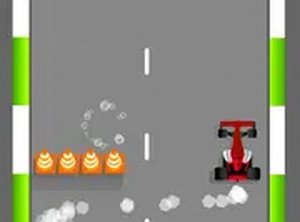
Obstacle Racing Challenge puts you behind the wheel of a formula-style car on a road lined with barriers. Your only job is lateral movement: shift left or right to avoid each obstacle while the car continues forward automatically. There is no acceleration or brake control, so every decision is about timing and positioning. A single collision ends the run, making each dodge matter. The game strips away storylines and characters, leaving a direct test of reaction speed.
Controls Across Devices
On a keyboard, the left and right arrow keys steer the car. On touch screens, tapping the left or right side of the display moves the vehicle in that direction. The input scheme stays consistent whether you play on a phone, tablet, or desktop computer. Because the game runs in a web browser, no download or installation is needed. A full-screen mode is available if you want fewer visual distractions while driving.
Escalating Difficulty
The run begins at a manageable pace, then the car speeds up gradually. Faster movement shortens the time you have to read each barrier and react. There are no levels or stages to select; the challenge is a single continuous drive where the goal is to last as long as possible. This structure rewards calm focus over frantic tapping, since overcorrecting often leads to a crash.
Who It Suits
Obstacle Racing Challenge is designed for players of all ages and offers a clean, non-violent experience. Its one-touch or two-key control scheme means anyone can start immediately without learning complex rules. Players who enjoy reflex-based arcade challenges or want a quick browser break are the most likely audience. The difficulty curve also makes it useful for practicing hand-eye coordination and concentration.





Editorial Notes