Fruit Harvest Helper: Platform Adventure
Reviews
Fruit Harvest Helper: Platform Adventure delivers a straightforward collect-a-thon platforming experience. Its strengths lie in responsive keyboard controls, clear visual design, and a gradual difficulty curve that respects player patience. The double jump adds a layer of precision without overwhelming newcomers. Because it runs in a browser, accessibility is high. The main limitation is a lack of variety beyond the core collect-and-exit loop, which may not satisfy players seeking deeper mechanics or story.
Description
Objective and Movement
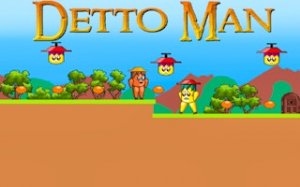
Each side-scrolling stage in Fruit Harvest Helper: Platform Adventure asks the same core task: collect every fruit item scattered around the environment, then reach the exit point. The exit only unlocks after all fruit is gathered. Your character moves left and right, jumps over gaps, and uses a double jump to reach higher ledges or clear wider distances. This movement set is the entire foundation of play, so timing and spatial awareness matter more than reflexes alone. [IMG_1]
Stage Layouts and Obstacles
Stages feature moving platforms, gaps, and other hazards arranged in patterns that stay consistent, letting you learn and adjust your route. Fruit placement encourages checking corners and optional paths rather than rushing straight to the exit. Difficulty rises gradually, introducing more complex arrangements that test precision and patience without becoming overwhelming. [IMG_2]
Visual Style and Tone
Bright, colorful graphics and simple, appealing shapes give the game a cheerful, welcoming look. The visual clarity helps you quickly identify platforms, collectibles, and dangers. This art style suits younger players while remaining appealing to older players who enjoy lighthearted platformers. [IMG_3]
Controls and Accessibility
Keyboard controls support arrow keys and WASD for movement and jumping. The double jump activates by pressing the jump key twice quickly, a technique that becomes essential for certain areas. Responsive controls mean failures usually come from misjudgment rather than unresponsive input. Because the game runs entirely in a web browser, there is no download or installation, so you can start playing immediately on any internet-connected device.
Progression and Replay Value
As you advance, new stage layouts introduce fresh challenges that build on previously learned skills. The gradual difficulty curve encourages repeated attempts, with each failure offering insight into better strategies. Collecting all fruit in a stage provides a sense of completion, and short level lengths make it easy to replay sections for improvement. This structure supports both quick play sessions and longer gaming periods.






Editorial Notes