Sea Shell Color Art for Children
Reviews
Sea Shell Color Art for Children keeps things simple: pick a color, fill a section, undo if needed. The eight turtle pictures use clear outlines that suit younger children, and the 23-color palette offers enough variety for both bright and subtle results. Saving finished artwork adds a tangible outcome. The main limitation is scope—this is a light creative activity, not a deep drawing tool. It works best as a quick, accessible coloring option on any device.
Description
A Simple Palette for Young Colorists
Sea Shell Color Art for Children gives players 23 distinct colors to work with. The process is direct: tap or click a hue, then apply it to any section of a turtle image. That two-step interaction keeps the activity accessible for younger children while still allowing for both bright and subtle combinations. Because the palette is visible at all times, there is no menu digging between color choices.
Eight Turtle Pictures to Complete
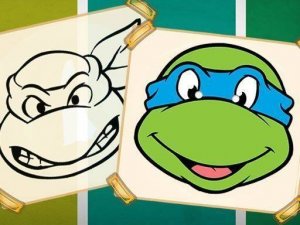
The activity includes eight separate turtle-themed pictures. Each one features a different friendly turtle character in a simple scene. The designs use clear, easy-to-fill areas, so younger players can complete a picture without struggling with tiny details. Players can start with any picture and work through them in any order, which means there is no forced sequence or unlock requirement.
Undo, Redo, and Worry-Free Experimentation
Undo and redo functions are built into the interface. If a color lands in the wrong area, it can be reversed immediately. This matters for how children approach the activity: they can try unusual color combinations without committing to them permanently. The controls respond to both mouse and touch input, so the same activity works on desktop computers, tablets, and phones.
Saving and Sharing Finished Artwork
Once a picture is complete, it can be saved directly to the device. Saved files serve as a record of the child's work and can be printed or kept as digital keepsakes. This gives the activity a tangible outcome beyond the screen, which is useful for parents who want to display or archive what their child made.
No Installation, No Account
The entire activity runs in a standard web browser. There is no software to install and no account to create. The responsive layout adjusts to different screen sizes, so the experience remains comfortable whether it is opened on a small phone or a large monitor.







Editorial Notes