Maxoo 2 Arcade Platformer
Reviews
Maxoo 2 delivers a straightforward platforming experience with 8 levels that gradually increase in difficulty. The key collection mechanic adds a clear goal, and the variety of traps keeps each stage interesting. The game is easy to pick up and offers enough challenge to encourage replaying levels for better timing. It is a good choice for fans of classic side-scrollers who want a short but engaging play session.
About This Game
Game Introduction
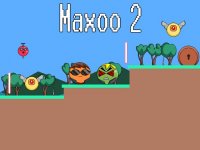
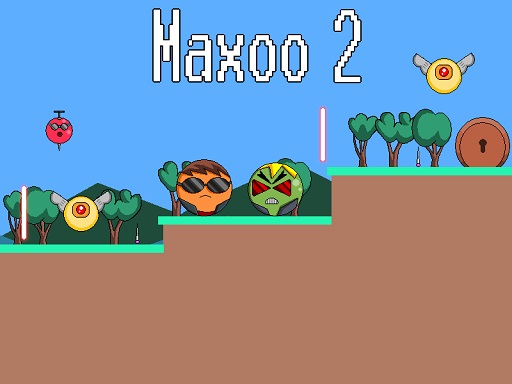
Maxoo 2 is a 2D platformer that builds on the classic side-scrolling adventure formula. As a sequel, it introduces fresh challenges while keeping the core objective simple: collect all silver keys in each level and reach the exit door. Players must navigate through various obstacles, including rolling enemy balls, flying creatures, sharp pins, and lasers. The game offers a gradually increasing difficulty across multiple stages, making it suitable for both casual players and those seeking a test of reflexes.
How to Play
Players control their character using standard platformer controls—typically arrow keys or on-screen buttons for movement and jumping. The main goal in each level is to gather all silver keys scattered throughout the environment. While collecting keys, players must avoid or time their movements past obstacles such as rolling balls, flying enemies, stationary pins, and lasers. Once all keys are collected, the exit door becomes accessible, allowing progression to the next level.
Game Features
The game includes multiple levels that increase in difficulty as you advance. New enemy types and traps are introduced in later stages, keeping the gameplay varied. Core mechanics involve key collection and obstacle avoidance. The controls are designed to be responsive, allowing for precise jumps and movements. The visual style is vibrant and clear, making it easy to identify hazards and objectives.
Tips for Success
Take time to observe each level's layout before rushing in. Learning the patterns of moving obstacles and enemy behavior is key to avoiding damage. Practice precise jumping to navigate tight spaces and time your movements carefully when crossing laser beams. Collecting keys in a strategic order can help you avoid unnecessary risks. Replaying earlier levels can improve your reflexes and prepare you for tougher challenges ahead.