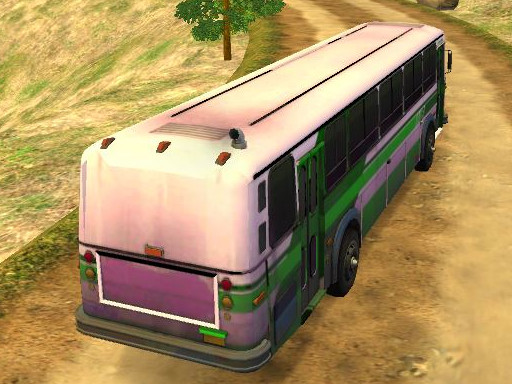
Bus Route Simulator 3D
Reviews
Bus Route Simulator 3D offers a satisfying driving experience with its realistic physics and detailed 3D environments. The multiple bus models and game modes provide good variety, while the map system makes navigation straightforward. It is a great choice for players who enjoy simulation games without any violent content. The passenger pickup mechanic adds purpose to each trip, making it more engaging than simple driving games. Overall, it is a well-made, family-friendly title.
About This Game
Game Introduction
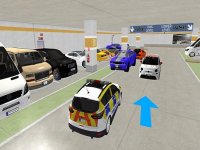
Bus Route Simulator 3D is a realistic driving simulation that places you in the role of a bus driver. The core objective is to drive safely to various bus stations, pick up waiting passengers, and complete routes. This game provides a family-friendly environment where players can enjoy the challenge of handling a large vehicle without any violent or inappropriate content. A helpful map in the upper left corner shows the way to the nearest station, guiding you through each trip. The game focuses on precision, patience, and route planning, offering a calm yet engaging experience for players of all ages.
How to Play
To play, start by choosing your preferred bus model and game mode. Use the on-screen controls to accelerate, steer, and brake. Follow the map indicator to navigate toward the nearest bus station. When you arrive, stop the bus to let passengers board. Drive carefully through traffic to reach each destination and earn points. The game tests your ability to manage a large vehicle in realistic road conditions while following a route. Players typically need to balance speed with safety to complete trips efficiently.
Game Features
Game features include multiple bus models to drive, three different game modes for variety, realistic 3D graphics that enhance immersion, an in-game map for navigation, and a passenger pickup system that gives each trip a clear goal. These elements combine to create a complete driving simulation experience. The game may also include traffic and road obstacles that require careful maneuvering.
Tips for Success
To succeed in Bus Route Simulator 3D, practice smooth acceleration and braking to maintain control of the large vehicle. Always keep an eye on the map to plan your route ahead of time. Obey traffic rules and watch for other vehicles to avoid collisions. Patience is key—take your time at bus stops to ensure all passengers board safely. Regular practice will help you master the realistic physics and improve your scores.